Best Free Google Search Console Dashboard Templates
for SEO Reporting in 2026
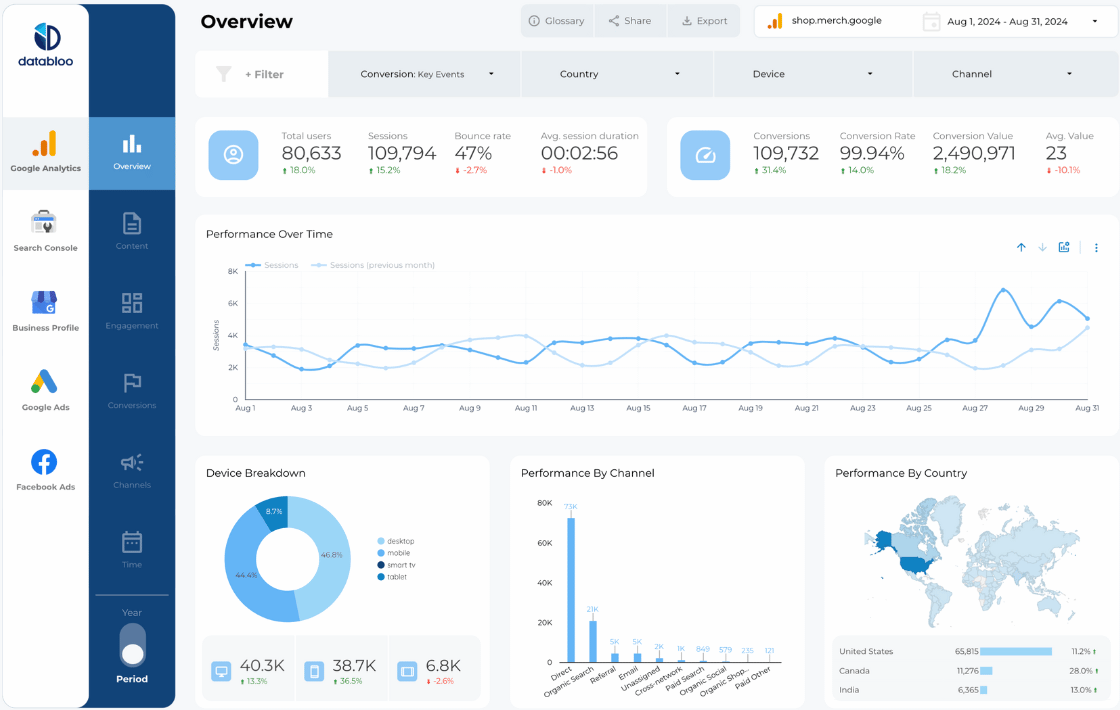
Search Console's interface works for checking one URL at a time. But if you're trying to spot patterns across your whole site — which pages are losing impressions, which queries are stuck in position 11, where your CTR doesn't match your rankings — you're clicking and exporting. These Looker Studio templates connect directly to your GSC data and surface what matters in one view. No exports needed.
What Makes a Good Search Console Dashboard Template?
A good GSC dashboard goes well past raw impressions and clicks. It needs CTR by page and query, average position trends, brand vs non-brand splits, short-tail vs long-tail comparison, and ranking distribution (page 1 vs page 2). Device and country filtering matters too — mobile CTR at position 3 is very different from desktop CTR at position 3. Most templates below use Google's free native connector. Some paid connectors unlock combined query + page analysis that the native connector can't do — worth it if that's a gap you're feeling.

Free Native vs Paid Connector: What's the Difference?
Google's free native Search Console connector is built into Looker Studio and works immediately — but it splits data into two separate sources (site queries and URL queries) which can't be combined. This means you can't filter by query on the pages view, or vice versa.
Paid connectors like Supermetrics, Windsor.ai, and Catchr unify these into one data source, enabling richer cross-filtering. If you do regular SEO reporting, a paid connector is usually worth it. Most offer 14-day free trials.
Want Fully Automated Google Search Console Reporting?
Templates are a great start — but if you need scheduled PDF delivery, white-labeling, and zero maintenance, consider a dedicated reporting tool: